A refreshed experience is in progress. A few pages may be temporarily limited.

As a Service

Reach out to KIDAN for inquiries and support.

On-demand Consulting

Expert guidance for strategic technology decisions.

Toc

24/7 global technology operations center.

Implementation

Seamless enterprise technology solution deployment.

Training

Empower teams with expert-led technology programs.

Services

Enterprise services supporting critical IT infrastructure.

Solutions

Tailored IT solutions for operational excellence.

SOC

End-to-end security operations monitoring.

Support

Dedicated IT support for seamless operations.

Most visited page

Expert guidance for strategic technology decisions.

About Us

Learn more about KIDAN’s vision, values, and expertise.

Our Partners

Meet KIDAN’s partners working together to deliver technology solutions, support, and growth for businesses.
Leading enterprise IT management solutions
offered via KIDAN’s trusted partner ecosystem for scalable, secure operations.
10 +
Leading enterprise IT management solutions
offered via KIDAN’s trusted partner ecosystem for scalable, secure operations.
110 +
Enterprise clients across industry sectors

trust KIDAN’s strategic partnerships and solutions to drive technology success.
950 +

ADSelfService Plus For Self-Service Password Management

Secure, self-service identity management solution that empowers users to reset passwords, unlock accounts, and update profiles without IT intervention.  

Is Your Password Reset Process Secure or Just a Breach Waiting to Happen?

THE CHAOS: A Fragmented Approach

Without endpoint management, chaos, risk, and inefficiency are inevitable.

Password Reset Bottlenecks 

Help desks are overwhelmed handling frequent password resets and account unlock requests.

Disjointed Access Experience 

Users manage multiple credentials across systems, causing fatigue and security risks.

Weak Authentication Practices 

Relying only on single-factor authentication leaves endpoints and applications vulnerable.

Compliance Gaps 

Inconsistent password policies and missing audit trails hinder regulatory compliance efforts.

Inconsistent Password Policies

Lack of standardized password rules increases security risks and user frustration.

Forgotten Password Frustration

Users frequently forget passwords, causing repeated help desk interruptions and inefficiency.

The Solution: ADSelfService Plus

A unified platform for self-service password management, multi-factor authentication (MFA), and single sign-on (SSO) built to secure identities and reduce IT workload.


Self-Service Password Reset

Empower users to reset passwords and unlock accounts anytime,
anywhere, securely.

Single Sign-On (SSO)

Provide seamless access to enterprise applications using one identity and synced passwords.

Adaptive Multi-Factor Authentication

Enforce MFA for endpoints, VPNs, OWA, RDP, and cloud applications using biometrics, FIDO2, and YubiKey.

Conditional Access Controls

Automate access decisions based on IP address, device, time, location, reducing risk, enforcing Zero Trust.

Password Policy Enforcement

Enforce strong, consistent password rules across Active Directory and all enterprise applications securely.

Password Expiry Notifications

Notify users of upcoming password expirations automatically, reducing help desk workload.

Unified Platform for Seamless MFA, SSO and SSPR

ADSelfService Plus secures identity access with adaptive authentication and role-based restrictions, while empowering users through self-service password resets, profile updates, and synchronized credentials. It simplifies access with customizable single sign-on and reduces IT workload by automating approvals and minimizing help desk dependency making remote work secure and seamless across iOS, Android, and desktop environments. 

Users

Empower

Reset Passwords 

Unlock Accounts 

Update Profiles 

Synchronized
Credentials 

Secure

Access

MFA for VPN 

MFA for OWA 

Biometrics 

Authenticator apps  

Simplify

Sign-Ons

Scanning

Detection 

Passwordless
Authentication

Single-Click Secure
Access

Reduced Help Desk
Load

Eliminate up to 40% of IT tickets by enabling user self-service for password-related issues.

Improved Compliance
Posture

Meet NIST, HIPAA, GDPR, and PCI DSS requirements with built-in policy enforcement and audit trails.


Stronger Endpoint
Security

Enforce MFA across all access points to prevent unauthorized logins and lateral movement.

Frictionless User
Experience

Simplify access with SSO and password less login options boosting productivity and user satisfaction.
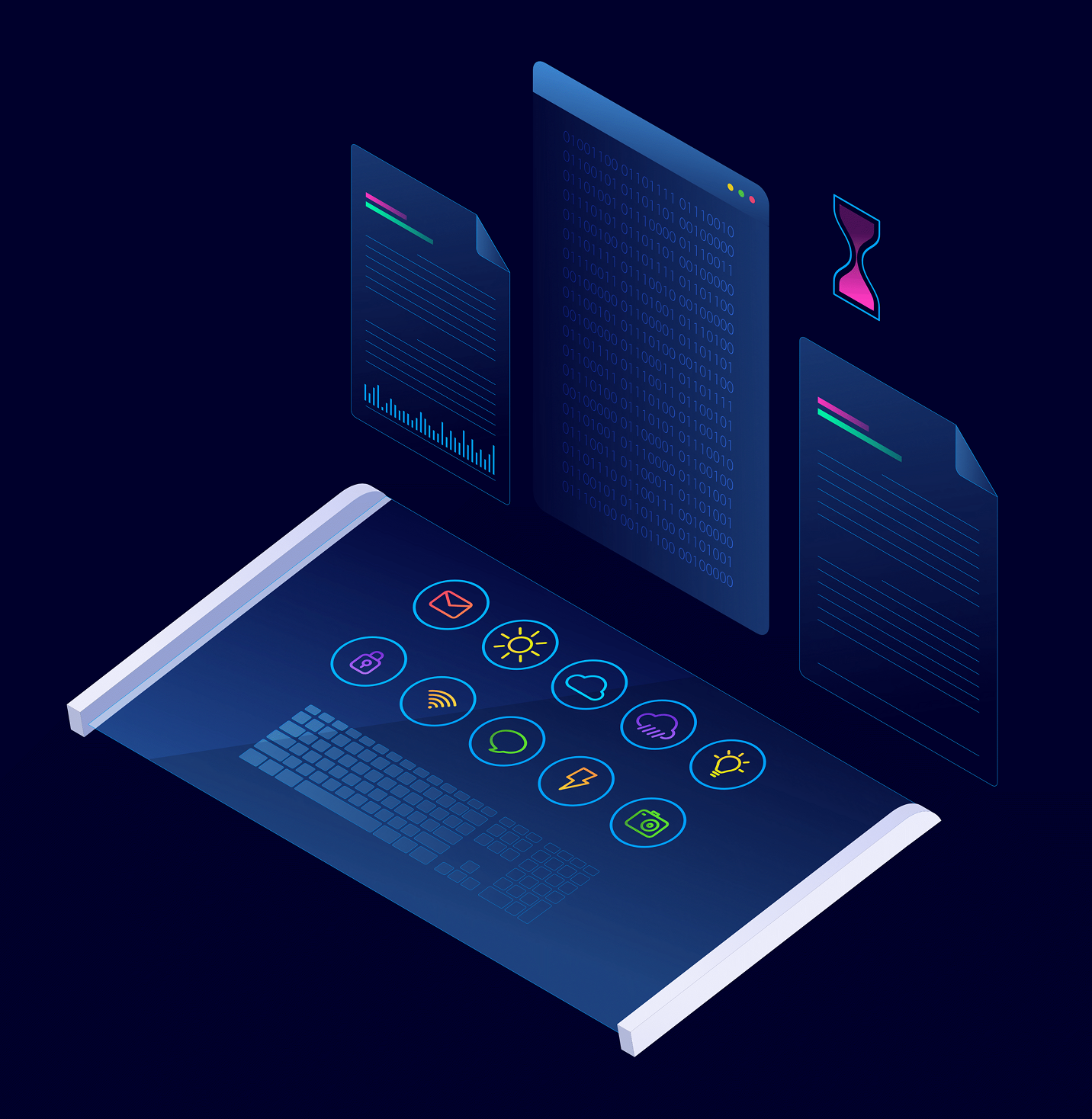
Multi-factor authentication

Verify identities vigilantly with adaptive authentication, and fortify your networks with customizable, role-based, and restrictive access.

MFA for Windows, Linux, and macOS

Centralized control over user identities across Windows AD, Azure AD, and cloud apps.

Single Sign-On (SSO) 

Seamless access to multiple applications with one set of credentials.

Multi-Factor Authentication (MFA)

Enhanced security with multiple layers of user verification.

Enterprise class scalability

Manages networks with more than 50,000 interfaces.

Network Monitoring

Monitor routers and switches performance through latency, packet loss, jitter, response.

NetFlow Analysis

Track bandwidth usage, identify anomalies, analyze traffic, detect top network talkers.

NetPath Analysis

Analyze WAN paths hop-by-hop to quickly identify outages and performance issues.

Manage Anywhere Right From Your Phone! 

Unified MFA, SSO, and SSPR solution 

Reset passwords, unlock accounts, and update profile details on the go. Available on iOS and Android, ADSelfService Plus keeps users connected to their accounts securely and effortlessly.

Available on both Android and iOS, the app ensures seamless access to self-service features. 

Stay connected. Stay productive. Stay protected. 

See how it works

Frictionless, secure access to IT resources.

Office users connected to the business network can quickly reset their passwords via ADSelfService Plus’ web portal.

Remote users can securely reset forgotten passwords from their login screens on Windows, macOS, or Linux.

Office users connected to the business network can quickly reset their passwords via ADSelfService Plus’ web portal.

Strong MFA methods, including biometrics, YubiKey, and smart card, can be
enabled for end-user machine logins.

Users can enjoy secure, single-click access to necessary enterprise apps
from ADSelfService Plus’ applications dashboard.

SIEM
Integrate ADSelfService Plus with SIEM for logging, detection, and investigation.
ITSM
ServiceDesk Plus monitors and tracks ADSelfService Plus self-service user actions.
IAM
Integrate with ADManager Plus to manage identity lifecycle and resource provisioning.

Your all-in-one SSPR, MFA, and SSO solution

Our solutions accelerate identity security across your IT networks

Active
Directory MFA

Active Directory MFA

Secure Active Directory user identities with robust MFA methods when accessing endpoints or performing self-service actions, such as password resets, account unlocks, and directory updates.

MFA For
Endpoints

MFA For Endpoints

Secure all endpoints in the network, including Windows, macOS, and Linux machines, enterprise applications, VPNs, OWA, and RDPs, with strong adaptive authentication.

Conditional
Access

Conditional Access

Automate access control decisions for your business network based on conditions, such as a user’s IP address, device used, time of access, and geolocation.

Passwordless
Login

Passwordless Login

Eliminate credential fatigue and enhance security by enabling passwordless login for enterprise applications, making the experience more user-friendly.

2FA For Windows
Logins

2FA for Windows logins

Secure interactive logins, RDP logins, and user access control prompts by enforcing two-factor authentication for Windows users.

OWA MFA

OWA MFA

Enhance OWA security by enforcing MFA, ensuring only verified users can access their enterprise email securely.

Self-Service
Password Reset

Self-Service Password Reset

Empower users to perform self-service password resets and changes in Windows Active Directory, Microsoft 365, Google Workspace, and Salesforce without depending on the helpdesk.

Self-Service
Account Unlock

Self-Service Account Unlock

Enable users to perform self-service account unlocks in Windows Active Directory, Microsoft 365, Google Workspace, and Salesforce without help desk assistance.

Password Policy
Enforcer

Password Policy Enforcer

Enforce strong, fine-grained password policies for Active Directory using a password dictionary filter, pattern checker, and compromised password detector.

Password Expiration
Notifications

Password Expiration Notifications

Remind users of their upcoming password expiration date using scheduled password expiry notifications sent via email, SMS, and push notifications.

Password Self-Service
From Login Screens

Password Self-Service From Login Screens

Allow users to reset their Windows Active Directory passwords conveniently and unlock their accounts directly from the login screen.

Cached Credentials
Update

Cached Credentials Update

Automatically update remote users’ cached machine credentials when they perform a remote self-service password reset, preventing account lockouts.

SSO For Enterprise
Applications

SSO For Enterprise Applications

Enable users to conveniently and securely access a range of hybrid enterprise applications with one identity using a customizable SSO flow.

Active Directory
Authentication

Active Directory Authentication

Leverage users’ existing Active Directory identities to set up IdP- or SP-initiated SSO for enterprise apps, streamlining setup and saving time.

SSO for SAML, OAuth,
And OIDC Apps

SSO for SAML, OAuth, and OIDC apps

Streamline access to any SAML-, OAuth-, or OIDC-based enterprise application using secure SSO.

Real-Time Password
Synchronizer

Real-Time Password Synchronizer

Ensure seamless synchronization of password resets and changes across all enterprise applications and machines in real time.

Just-In-Time
Provisioning

Just-In-Time Provisioning

Streamline user account creation across enterprise applications with automated SCIM-based provisioning.

Custom App
SSO

Custom App SSO

Configure seamless IdP- or SP-initiated SSO flows for custom SAML-based enterprise applications.

Deployment Options

On-Premises Deployment 

Install ADSelfService Plus on your internal servers (member server or domain controller).
Ideal for organizations with strict data control, compliance, or network isolation requirements.

Supports high availability and load balancing for uninterrupted service.

Internet-Based Deployment

Deploy ADSelfService Plus with secure access over external networks.
Use reverse proxy or DMZ architecture to shield internal components while enabling remote access.

Perfect for hybrid or remote workforces needing access to self-service features from anywhere.

Cloud-Ready Integration

While not offered as a SaaS product, ADSelfService Plus can be hosted on cloud platforms like AWS or Azure using virtual machines.

Supports integration with cloud apps like Microsoft 365, Google Workspace, and Salesforce for password sync and SSO

For better implementation experience, and tailored solutions that's unique to your business.

Upgrade to a Fully Managed Security Posture

Introducing KIDAN’s Endpoint Management and Security as a Service powered by our 24/7 Swiss-led
Technology Operations Center (TOC)

24/7 Proactive Security & Threat Mitigation

Our TOC operates around the clock to monitor your endpoints. We don’t just send you alerts; we actively investigate, validate, and remediate threats before they can impact your operations. This includes vulnerability management, patch deployment, and enforcing security configurations across your entire fleet of devices.


Expert Management & Optimization:

Your Endpoint Central platform will be managed and optimized by certified engineers who live and breathe this technology. We handle all software deployments, policy configurations, and routine maintenance, ensuring the tool is always performing at its peak and aligned with the latest security best practices.

Strategic Reporting & Visibility

Move beyond raw data. We provide you with clear, executive-level monthly reports that translate technical activity into business-relevant insights. Understand your security posture, see the threats we’ve neutralized, and demonstrate compliance with ease.
We’ve been redefining IT for enterprises, excellence in every solution.

How KIDAN Works with You

Choose the Model That Fits You Best 

We don’t just provide software we partner with you to ensure it delivers real, lasting value. Whether you’re looking for light-touch guidance or full-scale operational support, we offer flexible service models tailored to your needs. 

License + Expert Guidance

Start with the right license and unlock full 
value.

Already have the tool or just getting started? We’ll help you provision the right licenses and guide you to unlock the full potential of your investment. Think of us as your strategic advisor always available, never intrusive.

Implementation & Onboarding

We’ll help you set up, onboard, and train your team.

We’ll help you set up, onboard, and train your team.Need help getting up and running? We’re with you every step of the way from setup and configuration to onboarding and training. Our experts ensure your team is confident, capable, and ready to go.

Fully Managed Service

We’ll help you set up, onboard, and train your team.

Prefer to stay hands-off? Let us run the tool for you. We’ll handle everything monitoring, maintenance, updates, and optimization so you can focus on what matters most: your
business.

As your technology partner, we are committed to growing with you and tailoring the best model for your needs.

“I have used ManageEngine products before and was confident in getting a good working product. The deployment was simple and clean, and the instructions were clear. The technical support provided was prompt and helpful.”

James McMillan

Chief Technology Officer

adselfserviceplus-LiveDemoForm

MM slash DD slash YYYY

Your Questions, Answered with Clarity.

Direct answers to the most common strategic, technical, and commercial questions
about Endpoint Central.

Working with computers always involve authentication which is usually done by the user name and password combination. Now, when use ADSelfService Plus to reset Windows password or to unlock your locked-down account, first, the solution has to authenticate identity.

To do this, the solution uses any or all of the following methods depending on your IT administrator’s preference. Providing the information for the authentication, is called the enrollment process

ADSelfService Plus services can be categorized as Enrollment Requiring Services & Non-Enrollment Services.

  • Enrollment Requiring Services:
    • Self-Service Password Reset
    • Self-Service Account Unlock
  • Non-Enrollment Services:
    • People Search
    • Self-Service Active Directory Update
    • Password Expiration Notification

Registration is needed to use the primary functions of ADSelfService Plus.

When ADSelfService Plus is used to reset the Windows password or to unlock a locked-down account. First, the solution has to authenticate the identity. To do this, the solution uses any or all of the following methods depending on the IT administrator’s preference. Providing the information for the authentication is called the enrollment process.


Logon to ADSelfService Plus and edit the enrollment data. For example, the security question is “What is your favorite movie?” to which the answer is “Cast Away”. However, now the need to update the answer to “Transformer”, logon, and edit the “Security Answer” any time.


Being the Swiss Partner of ManageEngine, Kidan is responsible for aiding with professional services, such as installing, implementing, configuring, training, and supporting the company to ensure an effective on-boarding of ADSelfService Plus.

1 Minute Guided Tour about the ADSelfService Plus features and experience
of the users 

Deployment Options

On-Premises Deployment 

Install ADSelfService Plus on your internal servers (member server or domain controller).
Ideal for organizations with strict data control, compliance, or network isolation requirements.

Supports high availability and load balancing for uninterrupted service.

Internet-Based Deployment

Deploy ADSelfService Plus with secure access over external networks.
Use reverse proxy or DMZ architecture to shield internal components while enabling remote access.

Perfect for hybrid or remote workforces needing access to self-service features from anywhere.

Cloud-Ready Integration

While not offered as a SaaS product, ADSelfService Plus can be hosted on cloud platforms like AWS or Azure using virtual machines.

Supports integration with cloud apps like Microsoft 365, Google Workspace, and Salesforce for password sync and SSO

For better implementation experience, and tailored solutions that's unique to your business.

How KIDAN Works with You

Choose the Model That Fits You Best 

We don’t just provide software we partner with you to ensure it delivers real, lasting value. Whether you’re looking for light-touch guidance or full-scale operational support, we offer flexible service models tailored to your needs. 

License + Expert Guidance

Start with the right license and unlock full 
value.

Already have the tool or just getting started? We’ll help you provision the right licenses and guide you to unlock the full potential of your investment. Think of us as your strategic advisor always available, never intrusive.

Implementation & Onboarding

We’ll help you set up, onboard, and train your team.

We’ll help you set up, onboard, and train your team.Need help getting up and running? We’re with you every step of the way from setup and configuration to onboarding and training. Our experts ensure your team is confident, capable, and ready to go.

Fully Managed Service

We’ll help you set up, onboard, and train your team.

Prefer to stay hands-off? Let us run the tool for you. We’ll handle everything monitoring, maintenance, updates, and optimization so you can focus on what matters most: your
business.

As your technology partner, we are committed to growing with you and tailoring the best model for your needs.

“I have used ManageEngine products before and was confident in getting a good working product. The deployment was simple and clean, and the instructions were clear. The technical support provided was prompt and helpful.”

James McMillan

Chief Technology Officer

adselfserviceplus-LiveDemoForm

MM slash DD slash YYYY

Your Questions, Answered with Clarity.

Direct answers to the most common strategic, technical, and commercial questions
about Endpoint Central.

Working with computers always involve authentication which is usually done by the user name and password combination. Now, when use ADSelfService Plus to reset Windows password or to unlock your locked-down account, first, the solution has to authenticate identity.

To do this, the solution uses any or all of the following methods depending on your IT administrator’s preference. Providing the information for the authentication, is called the enrollment process

ADSelfService Plus services can be categorized as Enrollment Requiring Services & Non-Enrollment Services.

  • Enrollment Requiring Services:
    • Self-Service Password Reset
    • Self-Service Account Unlock
  • Non-Enrollment Services:
    • People Search
    • Self-Service Active Directory Update
    • Password Expiration Notification

Registration is needed to use the primary functions of ADSelfService Plus.

When ADSelfService Plus is used to reset the Windows password or to unlock a locked-down account. First, the solution has to authenticate the identity. To do this, the solution uses any or all of the following methods depending on the IT administrator’s preference. Providing the information for the authentication is called the enrollment process.


Logon to ADSelfService Plus and edit the enrollment data. For example, the security question is “What is your favorite movie?” to which the answer is “Cast Away”. However, now the need to update the answer to “Transformer”, logon, and edit the “Security Answer” any time.


Being the Swiss Partner of ManageEngine, Kidan is responsible for aiding with professional services, such as installing, implementing, configuring, training, and supporting the company to ensure an effective on-boarding of ADSelfService Plus.

Multi-factor authentication

Verify identities vigilantly with adaptive authentication, and fortify your networks with customizable, role-based, and restrictive access.

MFA for Windows, Linux, and macOS

Centralized control over user identities across Windows AD, Azure AD, and cloud apps.

Single Sign-On (SSO) 

Seamless access to multiple applications with one set of credentials.

Multi-Factor Authentication (MFA)

Enhanced security with multiple layers of user verification.

Enterprise class scalability

Manages networks with more than 50,000 interfaces.

Network Monitoring

Monitor routers and switches performance through latency, packet loss, jitter, response.

NetFlow Analysis

Track bandwidth usage, identify anomalies, analyze traffic, detect top network talkers.

NetPath Analysis

Analyze WAN paths hop-by-hop to quickly identify outages and performance issues.

See how it works

Frictionless, secure access to IT resources.

Office users connected to the business network can quickly reset their passwords via ADSelfService Plus’ web portal.

Remote users can securely reset forgotten passwords from their login screens on Windows, macOS, or Linux.

Office users connected to the business network can quickly reset their passwords via ADSelfService Plus’ web portal.

Strong MFA methods, including biometrics, YubiKey, and smart card, can be
enabled for end-user machine logins.

Users can enjoy secure, single-click access to necessary enterprise apps
from ADSelfService Plus’ applications dashboard.

SIEM
Integrate ADSelfService Plus with SIEM for logging, detection, and investigation.
ITSM
ServiceDesk Plus monitors and tracks ADSelfService Plus self-service user actions.
IAM
Integrate with ADManager Plus to manage identity lifecycle and resource provisioning.

Your all-in-one SSPR, MFA, and SSO solution

Our solutions accelerate identity security across your IT networks

Active
Directory MFA

Active Directory MFA

Secure Active Directory user identities with robust MFA methods when accessing endpoints or performing self-service actions, such as password resets, account unlocks, and directory updates.

MFA For
Endpoints

MFA For Endpoints

Secure all endpoints in the network, including Windows, macOS, and Linux machines, enterprise applications, VPNs, OWA, and RDPs, with strong adaptive authentication.

Conditional
Access

Conditional Access

Automate access control decisions for your business network based on conditions, such as a user’s IP address, device used, time of access, and geolocation.

Passwordless
Login

Passwordless Login

Eliminate credential fatigue and enhance security by enabling passwordless login for enterprise applications, making the experience more user-friendly.

2FA For Windows
Logins

2FA for Windows logins

Secure interactive logins, RDP logins, and user access control prompts by enforcing two-factor authentication for Windows users.

OWA MFA

OWA MFA

Enhance OWA security by enforcing MFA, ensuring only verified users can access their enterprise email securely.

Self-Service
Password Reset

Self-Service Password Reset

Empower users to perform self-service password resets and changes in Windows Active Directory, Microsoft 365, Google Workspace, and Salesforce without depending on the helpdesk.

Self-Service
Account Unlock

Self-Service Account Unlock

Enable users to perform self-service account unlocks in Windows Active Directory, Microsoft 365, Google Workspace, and Salesforce without help desk assistance.

Password Policy
Enforcer

Password Policy Enforcer

Enforce strong, fine-grained password policies for Active Directory using a password dictionary filter, pattern checker, and compromised password detector.

Password Expiration
Notifications

Password Expiration Notifications

Remind users of their upcoming password expiration date using scheduled password expiry notifications sent via email, SMS, and push notifications.

Password Self-Service
From Login Screens

Password Self-Service From Login Screens

Allow users to reset their Windows Active Directory passwords conveniently and unlock their accounts directly from the login screen.

Cached Credentials
Update

Cached Credentials Update

Automatically update remote users’ cached machine credentials when they perform a remote self-service password reset, preventing account lockouts.

SSO For Enterprise
Applications

SSO For Enterprise Applications

Enable users to conveniently and securely access a range of hybrid enterprise applications with one identity using a customizable SSO flow.

Active Directory
Authentication

Active Directory Authentication

Leverage users’ existing Active Directory identities to set up IdP- or SP-initiated SSO for enterprise apps, streamlining setup and saving time.

SSO for SAML, OAuth,
And OIDC Apps

SSO for SAML, OAuth, and OIDC apps

Streamline access to any SAML-, OAuth-, or OIDC-based enterprise application using secure SSO.

Real-Time Password
Synchronizer

Real-Time Password Synchronizer

Ensure seamless synchronization of password resets and changes across all enterprise applications and machines in real time.

Just-In-Time
Provisioning

Just-In-Time Provisioning

Streamline user account creation across enterprise applications with automated SCIM-based provisioning.

Custom App
SSO

Custom App SSO

Configure seamless IdP- or SP-initiated SSO flows for custom SAML-based enterprise applications.

Deployment Options

On-Premises Deployment 

Install ADSelfService Plus on your internal servers (member server or domain controller).
Ideal for organizations with strict data control, compliance, or network isolation requirements.

Supports high availability and load balancing for uninterrupted service.

Internet-Based Deployment

Deploy ADSelfService Plus with secure access over external networks.
Use reverse proxy or DMZ architecture to shield internal components while enabling remote access.

Perfect for hybrid or remote workforces needing access to self-service features from anywhere.

Cloud-Ready Integration

While not offered as a SaaS product, ADSelfService Plus can be hosted on cloud platforms like AWS or Azure using virtual machines.

Supports integration with cloud apps like Microsoft 365, Google Workspace, and Salesforce for password sync and SSO

For better implementation experience, and tailored solutions that's unique to your business.

We’ve been redefining IT for enterprises, excellence in every solution.

How KIDAN Works with You

Choose the Model That Fits You Best 

We don’t just provide software we partner with you to ensure it delivers real, lasting value. Whether you’re looking for light-touch guidance or full-scale operational support, we offer flexible service models tailored to your needs. 

License + Expert Guidance

Start with the right license and unlock full 
value.

Already have the tool or just getting started? We’ll help you provision the right licenses and guide you to unlock the full potential of your investment. Think of us as your strategic advisor always available, never intrusive.

Implementation & Onboarding

We’ll help you set up, onboard, and train your team.

We’ll help you set up, onboard, and train your team.Need help getting up and running? We’re with you every step of the way from setup and configuration to onboarding and training. Our experts ensure your team is confident, capable, and ready to go.

Fully Managed Service

We’ll help you set up, onboard, and train your team.

Prefer to stay hands-off? Let us run the tool for you. We’ll handle everything monitoring, maintenance, updates, and optimization so you can focus on what matters most: your
business.

As your technology partner, we are committed to growing with you and tailoring the best model for your needs.

“I have used ManageEngine products before and was confident in getting a good working product. The deployment was simple and clean, and the instructions were clear. The technical support provided was prompt and helpful.”

James McMillan

Chief Technology Officer

adselfserviceplus-LiveDemoForm

MM slash DD slash YYYY

Your Questions, Answered with Clarity.

Direct answers to the most common strategic, technical, and commercial questions
about Endpoint Central.

Working with computers always involve authentication which is usually done by the user name and password combination. Now, when use ADSelfService Plus to reset Windows password or to unlock your locked-down account, first, the solution has to authenticate identity.

To do this, the solution uses any or all of the following methods depending on your IT administrator’s preference. Providing the information for the authentication, is called the enrollment process

ADSelfService Plus services can be categorized as Enrollment Requiring Services & Non-Enrollment Services.

  • Enrollment Requiring Services:
    • Self-Service Password Reset
    • Self-Service Account Unlock
  • Non-Enrollment Services:
    • People Search
    • Self-Service Active Directory Update
    • Password Expiration Notification

Registration is needed to use the primary functions of ADSelfService Plus.

When ADSelfService Plus is used to reset the Windows password or to unlock a locked-down account. First, the solution has to authenticate the identity. To do this, the solution uses any or all of the following methods depending on the IT administrator’s preference. Providing the information for the authentication is called the enrollment process.


Logon to ADSelfService Plus and edit the enrollment data. For example, the security question is “What is your favorite movie?” to which the answer is “Cast Away”. However, now the need to update the answer to “Transformer”, logon, and edit the “Security Answer” any time.


Being the Swiss Partner of ManageEngine, Kidan is responsible for aiding with professional services, such as installing, implementing, configuring, training, and supporting the company to ensure an effective on-boarding of ADSelfService Plus.

ADSelfService Plus is Available in two editions: Standard & Professional.
FeaturesStandardProfessional
Employees reset their password themselves - authentication via SMS / email token and / or personal security questions
Employees activate their user accounts independently
Password expired notifications
Synchronize password across multiple platforms
Mobile password management
Employees update personal information
Management of distribution groups
Support for external MS-SQL databases
ADSelfService Plus password reset in the Windows logon screen (Credential Provider / GINA)
Cached Credentials Update
Automatic enforcement of password security guidelines (Ctrl + Alt + Del-Screen and ADUC)
Multi-factor authentication for Windows / macOS logons
SMS package for notificationsAdd-onAdd-on

For better implementation experience, and tailored solutions that's unique to your business.

How KIDAN Works with You

Choose the Model That Fits You Best 

We don’t just provide software we partner with you to ensure it delivers real, lasting value. Whether you’re looking for light-touch guidance or full-scale operational support, we offer flexible service models tailored to your needs. 

License + Expert Guidance

Start with the right license and unlock full 
value.

Already have the tool or just getting started? We’ll help you provision the right licenses and guide you to unlock the full potential of your investment. Think of us as your strategic advisor always available, never intrusive.

Implementation & Onboarding

We’ll help you set up, onboard, and train your team.

We’ll help you set up, onboard, and train your team.Need help getting up and running? We’re with you every step of the way from setup and configuration to onboarding and training. Our experts ensure your team is confident, capable, and ready to go.

Fully Managed Service

We’ll help you set up, onboard, and train your team.

Prefer to stay hands-off? Let us run the tool for you. We’ll handle everything monitoring, maintenance, updates, and optimization so you can focus on what matters most: your
business.

As your technology partner, we are committed to growing with you and tailoring the best model for your needs.

“I have used ManageEngine products before and was confident in getting a good working product. The deployment was simple and clean, and the instructions were clear. The technical support provided was prompt and helpful.”

James McMillan

Chief Technology Officer

adselfserviceplus-LiveDemoForm

MM slash DD slash YYYY

Your Questions, Answered with Clarity.

Direct answers to the most common strategic, technical, and commercial questions
about Endpoint Central.

Working with computers always involve authentication which is usually done by the user name and password combination. Now, when use ADSelfService Plus to reset Windows password or to unlock your locked-down account, first, the solution has to authenticate identity.

To do this, the solution uses any or all of the following methods depending on your IT administrator’s preference. Providing the information for the authentication, is called the enrollment process

ADSelfService Plus services can be categorized as Enrollment Requiring Services & Non-Enrollment Services.

  • Enrollment Requiring Services:
    • Self-Service Password Reset
    • Self-Service Account Unlock
  • Non-Enrollment Services:
    • People Search
    • Self-Service Active Directory Update
    • Password Expiration Notification

Registration is needed to use the primary functions of ADSelfService Plus.

When ADSelfService Plus is used to reset the Windows password or to unlock a locked-down account. First, the solution has to authenticate the identity. To do this, the solution uses any or all of the following methods depending on the IT administrator’s preference. Providing the information for the authentication is called the enrollment process.


Logon to ADSelfService Plus and edit the enrollment data. For example, the security question is “What is your favorite movie?” to which the answer is “Cast Away”. However, now the need to update the answer to “Transformer”, logon, and edit the “Security Answer” any time.


Being the Swiss Partner of ManageEngine, Kidan is responsible for aiding with professional services, such as installing, implementing, configuring, training, and supporting the company to ensure an effective on-boarding of ADSelfService Plus.

Pricing Plans Tailored to Fit Your Business

AD SelfService Plus – non-binding prices

Article No.ADSelfService Plus Add-On Failover and Secure GatewayPrice in US dollars
6705.5SEEAnnual Subscription Fee For Failover and Secure Gateway Services395 $

For better implementation experience, and tailored solutions that's unique to your business.

How KIDAN Works with You

Choose the Model That Fits You Best 

We don’t just provide software we partner with you to ensure it delivers real, lasting value. Whether you’re looking for light-touch guidance or full-scale operational support, we offer flexible service models tailored to your needs. 

License + Expert Guidance

Start with the right license and unlock full 
value.

Already have the tool or just getting started? We’ll help you provision the right licenses and guide you to unlock the full potential of your investment. Think of us as your strategic advisor always available, never intrusive.

Implementation & Onboarding

We’ll help you set up, onboard, and train your team.

We’ll help you set up, onboard, and train your team.Need help getting up and running? We’re with you every step of the way from setup and configuration to onboarding and training. Our experts ensure your team is confident, capable, and ready to go.

Fully Managed Service

We’ll help you set up, onboard, and train your team.

Prefer to stay hands-off? Let us run the tool for you. We’ll handle everything monitoring, maintenance, updates, and optimization so you can focus on what matters most: your
business.

As your technology partner, we are committed to growing with you and tailoring the best model for your needs.

“I have used ManageEngine products before and was confident in getting a good working product. The deployment was simple and clean, and the instructions were clear. The technical support provided was prompt and helpful.”

James McMillan

Chief Technology Officer

adselfserviceplus-LiveDemoForm

MM slash DD slash YYYY

Your Questions, Answered with Clarity.

Direct answers to the most common strategic, technical, and commercial questions
about Endpoint Central.

Working with computers always involve authentication which is usually done by the user name and password combination. Now, when use ADSelfService Plus to reset Windows password or to unlock your locked-down account, first, the solution has to authenticate identity.

To do this, the solution uses any or all of the following methods depending on your IT administrator’s preference. Providing the information for the authentication, is called the enrollment process

ADSelfService Plus services can be categorized as Enrollment Requiring Services & Non-Enrollment Services.

  • Enrollment Requiring Services:
    • Self-Service Password Reset
    • Self-Service Account Unlock
  • Non-Enrollment Services:
    • People Search
    • Self-Service Active Directory Update
    • Password Expiration Notification

Registration is needed to use the primary functions of ADSelfService Plus.

When ADSelfService Plus is used to reset the Windows password or to unlock a locked-down account. First, the solution has to authenticate the identity. To do this, the solution uses any or all of the following methods depending on the IT administrator’s preference. Providing the information for the authentication is called the enrollment process.


Logon to ADSelfService Plus and edit the enrollment data. For example, the security question is “What is your favorite movie?” to which the answer is “Cast Away”. However, now the need to update the answer to “Transformer”, logon, and edit the “Security Answer” any time.


Being the Swiss Partner of ManageEngine, Kidan is responsible for aiding with professional services, such as installing, implementing, configuring, training, and supporting the company to ensure an effective on-boarding of ADSelfService Plus.

Let us Know Your Requirements and Get an Exclusive Offer!

Get a free trial or reach out to our team to explore how we can 
help meet your specific requirements. 

adselfserviceplus-license-quote-form

Choose Components* (Required)

How KIDAN Works with You

Choose the Model That Fits You Best 

We don’t just provide software we partner with you to ensure it delivers real, lasting value. Whether you’re looking for light-touch guidance or full-scale operational support, we offer flexible service models tailored to your needs. 

License + Expert Guidance

Start with the right license and unlock full 
value.

Already have the tool or just getting started? We’ll help you provision the right licenses and guide you to unlock the full potential of your investment. Think of us as your strategic advisor always available, never intrusive.

Implementation & Onboarding

We’ll help you set up, onboard, and train your team.

We’ll help you set up, onboard, and train your team.Need help getting up and running? We’re with you every step of the way from setup and configuration to onboarding and training. Our experts ensure your team is confident, capable, and ready to go.

Fully Managed Service

We’ll help you set up, onboard, and train your team.

Prefer to stay hands-off? Let us run the tool for you. We’ll handle everything monitoring, maintenance, updates, and optimization so you can focus on what matters most: your
business.

As your technology partner, we are committed to growing with you and tailoring the best model for your needs.

Your Questions, Answered with Clarity.

Direct answers to the most common strategic, technical, and commercial questions
about Endpoint Central.

Working with computers always involve authentication which is usually done by the user name and password combination. Now, when use ADSelfService Plus to reset Windows password or to unlock your locked-down account, first, the solution has to authenticate identity.

To do this, the solution uses any or all of the following methods depending on your IT administrator’s preference. Providing the information for the authentication, is called the enrollment process

ADSelfService Plus services can be categorized as Enrollment Requiring Services & Non-Enrollment Services.

  • Enrollment Requiring Services:
    • Self-Service Password Reset
    • Self-Service Account Unlock
  • Non-Enrollment Services:
    • People Search
    • Self-Service Active Directory Update
    • Password Expiration Notification

Registration is needed to use the primary functions of ADSelfService Plus.

When ADSelfService Plus is used to reset the Windows password or to unlock a locked-down account. First, the solution has to authenticate the identity. To do this, the solution uses any or all of the following methods depending on the IT administrator’s preference. Providing the information for the authentication is called the enrollment process.


Logon to ADSelfService Plus and edit the enrollment data. For example, the security question is “What is your favorite movie?” to which the answer is “Cast Away”. However, now the need to update the answer to “Transformer”, logon, and edit the “Security Answer” any time.


Being the Swiss Partner of ManageEngine, Kidan is responsible for aiding with professional services, such as installing, implementing, configuring, training, and supporting the company to ensure an effective on-boarding of ADSelfService Plus.

Broschuere

AD Loesungen Broschuere

DATENBLATT

ADSelfService Plus Datenblatt

Ueberblick

ADSelfService Plus Ueberblick

Whitepaper

Whitepaper Passwort Regeln fuer Active Directory

Quick details before your demo

Almost there – a few quick details first.

Quick details before your demo

Almost there – a few quick details first.

Quick details before your demo

Almost there – a few quick details first.

Quick details before your demo

Almost there – a few quick details first.

Quick details before your demo

Almost there – a few quick details first.

Quick details before your demo

Almost there – a few quick details first.

Quick details before your demo

Almost there – a few quick details first.

Join 100+ IT Leaders at KIDANVerse

Be part of the first edition.

Quick details before your demo

Almost there – a few quick details first.

Quick details before your demo

Almost there – a few quick details first.

Quick details before your demo

Almost there – a few quick details first.

Quick details before your demo

Almost there – a few quick details first.

Quick details before your demo

Almost there – a few quick details first.

Quick details before your demo

Almost there – a few quick details first.

Quick details before your demo

Almost there – a few quick details first.

Quick details before your demo

Almost there – a few quick details first.

Quick details For Pricing

Almost there – a few quick details first.

Quick details before your demo

Almost there – a few quick details first.

Quick details before your demo

Almost there – a few quick details first.

Quick details before your demo

Almost there – a few quick details first.

Quick details before your demo

Almost there – a few quick details first.

Quick details before your demo

Almost there – a few quick details first.

Quick details before your demo

Almost there – a few quick details first.

Quick details before your demo

Almost there – a few quick details first.

Quick details before your demo

Almost there – a few quick details first.

Quick details before your demo

Almost there – a few quick details first.

Quick details before your demo

Almost there – a few quick details first.

Quick details before your demo

Almost there – a few quick details first.

Quick details before your demo

Almost there – a few quick details first.

Quick details before your demo

Almost there – a few quick details first.

Quick details before your demo

Almost there – a few quick details first.

Quick details before your demo

Almost there – a few quick details first.